Showing posts with label flash LG. Show all posts

Wednesday, 1 June 2016

[Guide] How to Download KDZ Firmware File for All LG Smartphone Device.

[Guide] How to Download KDZ Firmware File for All LG Smartphone Device.

Download LG KDZ Firmware. This guide will show you how to Download KDZ Firmware File for All LG Smartphone Device. KDZ file is Stock firmwares for LG devices although sometimes comes with TOT file. You can use these KDZ firmware to flash bootloop LG device, to restore stock firmware or downgrade from the latest update. To use this KDZ file you must have LG Flashtool. Many people on my blog are asking how to get KDZ file that matches with the LG device type. Actually KDZ files are widely available on the internet, but sometimes it doesn't match with the LG device you'r looking for.

Below is a guide on Download KDZ Firmware File for All LG Smartphone Device, follow the instructions carefully and to the point.

Method #1. Download LG KDZ Firmware.

  1. Make sure you have know IMEI number of your LG device. If not you can see this guide.
  2. Make sure your computer or laptop is connected to the Internet.
  3. Then open your Internet Browser (Internet explorer, Mozila Firefox, Google Chrome, etc)
  4. Then Go To the Address Bar.
  5. And type this.
    • http://csmg.lgmobile.com:9002/csmg/b2c/client/auth_model_check2.jsp?esn=xxxxxxxxxxxxxxx
  6. Where xxxxxxxxxxxxxxx is your 15 digit IMEI number.
  7. If the IMEI numbers that you entered is incorrect you will see message on screen.
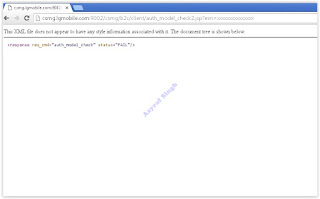
    incorrect IMEI number
    incorrect IMEI number
  8. For the correct IMEI number, you will see this message appear on screen.
    correct IMEI number
    correct IMEI number
  9. Now, block the URL shown on the screen below.
    kdz firmware - url
    kdz firmware - url
  10. Then copy paste this URL on the Address Bar following with press enter on keyboard.
  11. Now you must see download progress on download bar.
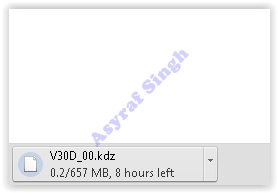
    kdz firmware download progress
    kdz firmware download progress
  12. Now wait until download progress finished.

Method #2. Download LG KDZ Firmware.

  1. You can use this second method to Download KDZ Firmware File for All LG Smartphone Device.
  2. Make sure you have know IMEI number of your LG device. If not you can see this guide.
  3. Make sure your computer or laptop is connected to the Internet.
  4. Then open your Internet Browser (Internet explorer, Mozila Firefox, Google Chrome, etc)
  5. Then open this page.
    • http://devtester.ro/projects/lg-firmwares/download.php#
  6. Now, click IMEI CHECK menu.
  7. Now, type IMEI number on available column. then click Check button.

Monday, 3 August 2015

Guide To Flash / Install Firmware LG L60 DUAL Using LG Flash Tool (KDZ method)

Guide To Flash / Install Firmware LG L60 DUAL Using LG Flash Tool (KDZ method)


Flash / Install Firmware LG L60 DUAL . Guidebelajar on this guide will explain to you how to flashing android device on LG L60 DUAL  with easy and simple stepFlashing in android is the same way like fresh install on the windows PC, So by perform a flash on Android you will give a new performance like a new phone. One reason that you should perform a flash your android is because your android get bootloop or when you failed to install Stock ROM Mod. 

This LG L60 DUAL is the smartphone with 5,5 Inchi wide LCD, work on Android OS, v4.4.2 (KitKat) and supported with Quad-core 1.3 GHz Cortex-A7, Adreno 305, combined with 512 MB of RAM and 5 MP of  Main camera and VGA on secondary camera.


Some problem on this android is bootloop. Do you know what is bootloop, Ok.. now I will explain to you what si bootloop. Some people say that bootloop is a problem that occured on an android system which the android system could not start up going to the homescreen menu. And it's happened is automatically return to the initial state on the first time when you turn on the LG L60 DUALAnd the device will stop to display on the smartphone logo.

So, If you have any problems on LG L60 DUAL bootloop or accidental LG L60 DUAL is not installed recovery. In this guide I'm not offering recovery twrp or Cwm. CMW is a recovery that already in recovery mode for customization of the device such that the LG L60 DUAL with a variety of additional functions in it such as backup / restore, installations and others that are not contained in the standard recovery mode. Generally, in case of a default recovery bootloop LG L60 DUAL will go missing in case of bootloop. whereas the original recoery can not help when there hardbrick.

Now, follow the isntruction list bellow, do it with your own risk.

Requirement Tool For Flash LG L60 DUAL.

Before you perform flash or install your firmware on LG L60 DUAL, you must download all requirement tool below ;
  1. Download Firmware LG Official, LG L60 DUALHere
    • Check the firmware that match with your phone version, 
      • The V10 is the KITKAT version
      • The V20 is for the Lollipop Version
      • And, you can see  a letter, that is little updates, you can download the one with the "last" letter
  2. Download Driver LG: Here
  3. Latest LG FlashTool : Here
  4. Download KDZ Updater, HERE


Guide To Flash LG L60 DUAL

Please follow this guide carefully to flash LG L60 DUAL.

  1. Make sure you have download all requirement tool above
  2. Then Install the drivers with your phone connected with your Computer, when it finished disconnect your LG L60 DUAL phone from your computer.
  3. Now turn your LG L60 DUAL phone off, then click continuously on the up volume and connect your phone to your PC, 
  4. Now, enter your LG L60 DUAL into download mode.  ( visit this guide or see at the end of this post)
  5. Run LGFlashTool2014.exe,
  6. If you cannot run LGFlashTool2014.exe, You must install Visual C++ Runtime Library, get here
  7. There are two options to flash your LG L60 DUAL.
    • Normal Flash : You can select this option if you want Flash ROM without losing any data. Only use this when you need to fix system error.
    • CSE Flash : You can choose this option when you need a fresh format. All data will be deleted. It's suitable for upgrading or downgrading ROM or simply use this when you need to back to Stock
  8. Never change all default preference, But, if you want, you can follow this:
  9. LG flash tool normal flash / CSE flash
    LG flash tool normal flash / CSE flash
    Select Type
    : CDMA
  10. Phone ModeCS_Emergency 
  11. Reset Time : 33000
  12. On the Select KDZ file, select the yellow color folder icon, and select the firmware file LG is already downloaded earlier
  13. Klik CSE Flash.
  14. You can select language which can speak in your language.
  15. Wait the flash process.
    flash LG L60 DUAL
    flash LG L60 DUAL
  16. When process is finished, Press "Exit" than the task in your windows will go to the end . 
    flash LG L60 DUAL
    flash LG L60 DUAL
  17. Then, your LG L60 Dual phone will restart twice and boot up as originally phone like you buy at the first time.
  18. Finish

Enter LG L60 DUAL To Download Mode.

To enter LG L60 DUAL in download mode, you can follow this guide :
  1. Remove batterei from your phone
  2. Plug USB cable to your PC
  3. Press and Hold volume UP Button, while cable plugs USB Cable from PC to your Phone

  4. Then will appear white note on your LG L60 DUAL phone, if you see this you can releasa Volume UP button.
  5. Press and hold volume UP Button on your LG L60 DUAL phone again, until you see FIRMWARE UPDATE message.
  6. If your phone has been detected in your PC (to make sure, click the monitor icon beside Read Phone Information button, this action will open device manager windows. If your phone was detected you can see this at the top)
  7. Click START, and you will see dialogue box, just click OK
  8. Wait for the flash process, it will run in approximately 5 minute and your LG L60 DUAL will restart itself
  9. Then your LG L60 DUAL phone will boot up, if you can see Welcome Screen, it's mean Flashing process is successfully.
  10. Unplug USB cable, and finish
  11. Now your LG L60 DUAL is installed new firmware.


Guide To Flash / Install Firmware LG G3 STYLUS Using LG FlashTool (KDZ method)

Guide To Flash / Install Firmware LG G3 STYLUS Using LG FlashTool (KDZ method)


Flash / Install Firmware LG G3 STYLUS . Guidebelajar on this guide will explain to you how to flashing android device on LG G3 STYLUS  with easy and simple stepFlashing in android is the same way like fresh install on the windows PC, So by perform a flash on Android you will give a new performance like a new phone. One reason that you should perform a flash your android is because your android get bootloop or when you failed to install Stock ROM Mod. 

This LG G3 STYLUS is the smartphone with 5,5 Inchi wide LCD, work on Android OS, v4.4.2 (KitKat) and supported with Quad-core 1.3 GHz Cortex-A7, Mali-400MP2, combined with 1 GB of RAM and 13 MP of  Main camera and 1,3 on secondary camera..


Some problem on this android is bootloop. Do you know what is bootloop, Ok.. now I will explain to you what si bootloop. Some people say that bootloop is a problem that occured on an android system which the android system could not start up going to the homescreen menu. And it's happened is automatically return to the initial state on the first time when you turn on the LG G3 STYLUSAnd the device will stop to display on the smartphone logo.

So, If you have any problems on LG G3 STYLUS bootloop or accidental LG G3 STYLUS is not installed recovery. In this guide I'm not offering recovery twrp or Cwm. CMW is a recovery that already in recovery mode for customization of the device such that the LG G3 STYLUS with a variety of additional functions in it such as backup / restore, installations and others that are not contained in the standard recovery mode. Generally, in case of a default recovery bootloop LG G3 STYLUS will go missing in case of bootloop. whereas the original recoery can not help when there hardbrick.

Now, follow the isntruction list bellow, do it with your own risk.

Requirement Tool For Flash LG G3 STYLUS.

Before you perform flash or install your firmware on LG G3 STYLUS, you must download all requirement tool below ;

  1. Download Firmware LG Official, LG G3 STYLUSHere
    • Download Driver LG: Here
    • Latest LG FlashTool : Here

    Guide To Flash LG G3 STYLUS

    Please follow this guide carefully to flash LG G3 STYLUS.

    1. Make sure you have download all requirement tool above
    2. Then Install the drivers with your phone connected with your Computer, when it finished disconnect your LG G3 STYLUS phone from your computer.
    3. Now turn your LG G3 STYLUS phone off, then click continuously on the up volume and connect your phone to your PC, 
    4. Now, enter your LG G3 STYLUS into download mode.  ( visit this guide or see at the end of this post)

    5. Run LGFlashTool2014.exe
    6. If you cannot run LGFlashTool2014.exe, You must install Visual C++ Runtime Library, get here
    7. There are two options to flash your LG G3 BEAT D722 / D724.
      • Normal Flash : You can select this option if you want Flash ROM without losing any data. Only use this when you need to fix system error.
      • CSE Flash : You can choose this option when you need a fresh format. All data will be deleted. It's suitable for upgrading or downgrading ROM or simply use this when you need to back to Stock
    8. Never change all default preference, But, if you want, you can follow this:
      LG flash tool normal flash / CSE flash
      LG flash tool normal flash / CSE flash
    9. Select Type: CDMA
    10. Phone ModeCS_Emergency 
    11. Reset Time : 33000
    12. On the Select KDZ file, select the yellow color folder icon, and select the firmware file LG is already downloaded earlier
    13. Klik CSE Flash.
    14. You can select language which can speak in your language.
    15. Wait the flash process.
      flash LG G3 STYLUS
      flash LG G3 STYLUS
    16. When process is finished, Press "Exit" than the task in your windows will go to the end . 
      flash LG G3 STYLUS
      flash LG G3 STYLUS
    17. Then, your LG G3 Stylus phone will restart twice and boot up as originally phone like you buy at the first time.
    18. Finish

    Enter LG G3 STYLUS To Download Mode.

    To enter LG G3 STYLUS in download mode, you can follow this guide :
    1. Remove batterei from your phone
    2. Plug USB cable to your PC
    3. Press and Hold volume UP Button, while cable plugs USB Cable from PC to your Phone
    4. Then will appear white note on your LG G3 STYLUS phone, if you see this you can releasa Volume UP button.
    5. Press and hold volume UP Button on your LG G3 STYLUS phone again, until you see FIRMWARE UPDATE message.
    6. If your phone has been detected in your PC (to make sure, click the monitor icon beside Read Phone Information button, this action will open device manager windows. If your phone was detected you can see this at the top)
    7. Click START, and you will see dialogue box, just click OK
    8. Wait for the flash process, it will run in approximately 5 minute and your LG G3 STYLUS will restart itself
    9. Then your LG G3 STYLUS phone will boot up, if you can see Welcome Screen, it's mean Flashing process is successfully.
    10. Unplug USB cable, and finish
    11. Now your LG G3 STYLUS is installed new firmware.


    Guide To Enter Download Mode On LG Android Smartphone.

    Guide To Enter Download Mode On LG Android Smartphone.

    Enter Download Mode On LG Android. Today's guidebelajar will show to you about guide how to Enter Download Mode On LG Android Smartphone. All android expert user must know how to enter download mode on their android smartphone, this is an important mode for the android devices. Many reason that should you know why you have to enter download mode on android devices. The main reason is when we going to flash or install a new firmware to our android system, it is mean our android device in bootloop state, or you just want to upgrade your android firmware or ROM.

    When You enter downlaod mode on LG android smartphone you can  do various operations to your phone using your computer, for example to apply an update manually. Before you proceed to enter download mode on your android device, please make sure that your device is an LG Android Smartphone, it is work for most of LG android smartphone. The guide from below have been tested only on the mentioned device, which means that this guide will not work in case you have a similar or different Android based devices. So read this article carefully.

    Guide To Enter Download Mode On LG.

    Please follow this guide to enter download mode on android smartphone devices.
    1. First time that should you do is Power Off your LG Smartphone.
    2. Or you can Remove battery out from your phone, if your device is removable battery
    3. Plug USB cable to your PC, 
    4. Press and Hold volume UP Button, while plugs in USB Cable from PC to your Phone.
      Enter Download Mode On LG Android
      Enter Download Mode On LG Android
    5. Then will appear white note (download mode) on your LG phone, if you see this you can releasa Volume UP button.
    6. Press and hold volume UP Button on your LG phone again, until you see FIRMWARE UPDATE message.
    7. If your phone has been detected in your PC (to make sure, click the monitor icon beside Read Phone Information button, this action will open device manager windows. If your phone was detected you can see this at the top)
    8. Click START, and you will see dialogue box, just click OK
    9. Wait for the flash process, it will run in approximately 5 minute and your LG will restart itself
    10. Then your LG phone will boot up, if you can see Welcome Screen, it's mean Flashing process is successfully.
    11. Unplug USB cable, and finish
    12. Now your LG is installed new firmware.


    Guide To Flash / Unbrick / Unroot LG G3.

    Guide To Flash / Unbrick / Unroot LG G3.


    Flash / Install Firmware LG G3 . Guidebelajar on this guide will explain to you how to flashing android device on LG G3  with easy and simple stepFlashing in android is the same way like fresh install on the windows PC, So by perform a flash on Android you will give a new performance like a new phone. One reason that you should perform a flash your android is because your android get bootloop or when you failed to install Stock ROM Mod. 

    This LG G3 is the smartphone with 5,5 Inchi wide LCD, work on Android OS, v4.4.2 (KitKat), upgradable to v5.0 (Lollipop) and supported with chipset Qualcomm MSM8975AC Snapdragon 801, and CPU Quad-core 2.5 GHz Krait 400, GPU Adreno 330, combined with 3 GB of RAM and 13 MP on primary camera, 2,1 on secondary camera.


    Some problem on this android is bootloop. Do you know what is bootloop, Ok.. now I will explain to you what si bootloop. Some people say that bootloop is a problem that occured on an android system which the android system could not start up going to the homescreen menu. And it's happened is automatically return to the initial state on the first time when you turn on the LG G3And the device will stop to display on the smartphone logo.

    So, If you have any problems on LG G3 bootloop or accidental LG G3 is not installed recovery. In this guide I'm not offering recovery twrp or Cwm. CMW is a recovery that already in recovery mode for customization of the device such that the LG G3 with a variety of additional functions in it such as backup / restore, installations and others that are not contained in the standard recovery mode. Generally, in case of a default recovery bootloop LG G3 will go missing in case of bootloop. whereas the original recoery can not help when there hardbrick.

    Now, follow the isntruction list bellow, do it with your own risk.

    Requirement Tool For Flash LG G3.

    Before you perform flash or install your firmware on LG G3, you must download all requirement tool below ;

    1. Download Firmware LG Official (format kdz), LG G3 : Here
      • Check the firmware that match with your phone version, 
        • The V10 is the KITKAT version
        • The V20 is for the Lollipop Version
        • And, you can see  a letter, that is little updates, you can download the one with the "last" letter

    2. Download Driver LG: Here
    3. Latest LG FlashTool : Here

    Guide To Flash LG G3

    Please follow this guide carefully to flash LG G3.

    1. Make sure you have download all requirement tool above
    2. Then Install the drivers with your phone connected with your Computer, when it finished disconnect your LG G3 phone from your computer.
    3. Now turn your LG G3 phone off, then click continuously on the up volume and connect your phone to your PC, 
    4. Now, enter your LG G3 into download mode. ( visit this guide or see at the end of this post)

    5. Run LGFlashTool2014.exe, Never change all default preference, But, if you want, you can follow this:
    6. Select Type: CDMA
    7. Phone ModeCS_Emergency 
    8. Reset Time : 33000
    9. On the Select KDZ file, select the yellow color folder icon, and select the firmware file LG is already downloaded earlier
    10. Klik CSE Flash.
    11. You can select language which can speak in your language.

    Enter LG G3 To Download Mode.

    To enter LG G3 in download mode, you can follow this guide :
    1. Remove batterei from your phone
    2. Plug USB cable to your PC
    3. Press and Hold volume UP Button, while cable plugs USB Cable from PC to your Phone
    4. Then will appear white note on your LG G3 phone, if you see this you can releasa Volume UP button.
    5. Press and hold volume UP Button on your LG G3 phone again, until you see FIRMWARE UPDATE message.
    6. If your phone has been detected in your PC (to make sure, click the monitor icon beside Read Phone Information button, this action will open device manager windows. If your phone was detected you can see this at the top)
    7. Click START, and you will see dialogue box, just click OK
    8. Wait for the flash process, it will run in approximately 5 minute and your LG G3 will restart itself
    9. Then your LG G3 phone will boot up, if you can see Welcome Screen, it's mean Flashing process is successfully.
    10. Unplug USB cable, and finish
    11. Now your LG G3 is installed new firmware.


    Download Official Stock Rom / Firmware LG G3 Android Smartphone.

    Download Official Stock Rom / Firmware LG G3 Android Smartphone.


    Stock ROM / Firmware LG G3. If you need firmware for your  LG G3, today's I will share this firmware that fit with your  LG G3. By default your  LG G3 is installed withAndroid OS, v4.4.2 (KitKat), upgradable to v5.0 (Lollipop), Now, I will give you Stock Rom for your  LG G3.. You can use this Firmware to flash your  LG G3. Why you need this firmware ? I think you have something trouble on your  LG G3 Or you just want to custom yout phone with custom ROM. There are something happend to your phone, and most problem is bootloop.

    What is bootloop ? All android fan say that bootloop is a problem that occured on an android system which the android system could not start up going to the homescreen menu. And it's happened is automatically return to the initial state on the first time when you turn on the  LG G3. And the device will stop to display on the smartphone logo. So, On this state you can do anything on your  LG G3 Device.

    On this article I'll share link that can you download about firmware for your  LG G3, This firmware is custom firmware,
    most people call the original firmware with Stock ROM. At the android world we know about ROM, To flash or install your android device to factory standart we need original Stock ROM from developer, but if we want to flash or install our android with the other custom, like install a different ROM from the other platform, so.. we need Custom ROM.


    If you need Stock ROMfirmware for your  LG G3, to flash your LG G3 you can see this guide and you can download Stock ROM by clicking available download link bellow.

    AT&T LG G3 Stock Factory Firmware D850

    T-Mobile LG G3 Stock Factory Firmware D851

    Sprint LG G3 Stock Factory Firmware LS990

    Verizon LG G3 Stock Factory Firmware VS985

    Korean LG G3 Stock Factory Firmware F400K KT/Olleh

    Korean LG G3 Stock Factory Firmware F400S SK Telecom


    Korean LG G3 Stock Factory Firmware F400L LG U

    LG G3 Stock Factory Firmware D855 (European)

    LG G3 Stock Factory Firmware D855 (Hong Kong)

    LG G3 Stock Factory Firmware D855 (TWN)

    Canadian LG G3 Stock Factory Firmware D852 (Bell/Rogers)

    Canadian LG G3 Stock Factory Firmware D852G (Videotron)

    Sunday, 2 August 2015

    Download Official Stock Rom / Firmware KDZ For LG L FINO Android Smartphone.

    Download Official Stock Rom / Firmware KDZ For LG L FINO Android Smartphone.


    Firmware KDZ For LG L FINO. If you need firmware for your  LG L FINO, today's I will share this firmware that fit with your  LG L FINO. By default your  LG L FINO is installed with android 4,.4.2 Kitkat, Now, I will give you Stock Rom for your  LG L FINO.. You can use this Firmware to flash your  LG L FINO. Why you need this firmware ? I think you have something trouble on your  LG L FINO Or you just want to custom yout phone with custom ROM. There are something happend to your phone, and most problem is bootloop.

    What is bootloop ? All android fan say that bootloop is a problem that occured on an android system which the android system could not start up going to the homescreen menu. And it's happened is automatically return to the initial state on the first time when you turn on the  LG L FINO. And the device will stop to display on the smartphone logo. So, On this state you can do anything on your  LG L FINO Device.

    On this article I'll share link that can you download about firmware for your  LG L FINO, This firmware is custom firmware,
    most people call the original firmware with Stock ROM. At the android world we know about ROM, To flash or install your android device to factory standart we need original Stock ROM from developer, but if we want to flash or install our android with the other custom, like install a different ROM from the other platform, so.. we need Custom ROM.

    If you need Stock ROMfirmware for your  LG L FINO,


    you can download here by clicking download link bellow.

    Official Stock LG L Fino V10a Firmware / Rom.

    Official Stock LG L Fino V10b Firmware / Rom.

    Official Stock LG L Fino V10c Firmware / Rom.

    Official Stock LG L Fino V10d Firmware / Rom.


    Guide To Flash LG L FINO Using LG Flash Tool KDZ Method.

    Guide To Flash LG L FINO Using LG Flash Tool KDZ Method.


    Flash / Install Firmware LG L FINO . Guidebelajar on this guide will explain to you how to flashing android device on LG L FINO  with easy and simple stepFlashing in android is the same way like fresh install on the windows PC, So by perform a flash on Android you will give a new performance like a new phone. One reason that you should perform a flash your android is because your android get bootloop or when you failed to install Stock ROM Mod. 

    This LG L FINO is the smartphone with 4,5 Inchi wide LCD, work on Android OS, v4.4.2 (KitKat) and supported with Quad-core 1.2 GHz Cortex-A7, Adreno 302, combined with 1 GB of RAM and 8 MP.


    Some problem on this android is bootloop. Do you know what is bootloop, Ok.. now I will explain to you what si bootloop. Some people say that bootloop is a problem that occured on an android system which the android system could not start up going to the homescreen menu. And it's happened is automatically return to the initial state on the first time when you turn on the LG L FINOAnd the device will stop to display on the smartphone logo.

    So, If you have any problems on LG L FINO bootloop or accidental LG L FINO is not installed recovery. In this guide I'm not offering recovery twrp or Cwm. CMW is a recovery that already in recovery mode for customization of the device such that the LG L FINO with a variety of additional functions in it such as backup / restore, installations and others that are not contained in the standard recovery mode. Generally, in case of a default recovery bootloop LG L FINO will go missing in case of bootloop. whereas the original recoery can not help when there hardbrick.

    Now, follow the isntruction list bellow, do it with your own risk.

    Requirement Tool For Flash LG L FINO.

    Before you perform flash or install your firmware on LG L FINO, you must download all requirement tool below ;
    1. Download Firmware LG Official (format kdz), LG L FINO :
      • Check the firmware that match with your phone version, 
        • The V10 is the KITKAT version
        • The V20 is for the Lollipop Version
        • And, you can see  a letter, that is little updates, you can download the one with the "last" letter

      • To download This Stock ROM/Firmware Visit Here. or Here
      • Download Driver LG: Here
      • Latest LG FlashTool : Here

      Guide To Flash LG L FINO

      Please follow this guide carefully to flash LG L FINO.

      1. Make sure you have download all requirement tool above
      2. Then Install the drivers with your phone connected with your Computer, when it finished disconnect your LG L FINO phone from your computer.
      3. Now turn your LG L FINO phone off, then click continuously on the up volume and connect your phone to your PC, 
      4. Now, enter your LG L FINO into download mode.  ( visit this guide or see at the end of this post)

      5. Run LGFlashTool2014.exe
      6. If you cannot run LGFlashTool2014.exe, You must install Visual C++ Runtime Library, get here
      7. There are two options to flash your LG L FINO.
        • Normal Flash : You can select this option if you want Flash ROM without losing any data. Only use this when you need to fix system error.
        • CSE Flash : You can choose this option when you need a fresh format. All data will be deleted. It's suitable for upgrading or downgrading ROM or simply use this when you need to back to Stock
      8. Never change all default preference, But, if you want, you can follow this:
      9. LG flash tool normal flash / CSE flash
        LG flash tool normal flash / CSE flash
        Select Type
        : CDMA
      10. Phone ModeCS_Emergency 
      11. Reset Time : 33000
      12. On the Select KDZ file, select the yellow color folder icon, and select the firmware file LG is already downloaded earlier
      13. Klik CSE Flash.
      14. You can select language which can speak in your language.

      Enter LG L FINO To Download Mode.

      To enter LG L FINO in download mode, you can follow this guide :
      1. Remove batterei from your phone
      2. Plug USB cable to your PC
      3. Press and Hold volume UP Button, while cable plugs USB Cable from PC to your Phone
      4. Then will appear white note on your LG L FINO phone, if you see this you can releasa Volume UP button.
      5. Press and hold volume UP Button on your LG L FINO phone again, until you see FIRMWARE UPDATE message.
      6. If your phone has been detected in your PC (to make sure, click the monitor icon beside Read Phone Information button, this action will open device manager windows. If your phone was detected you can see this at the top)
      7. Click START, and you will see dialogue box, just click OK
      8. Wait for the flash process, it will run in approximately 5 minute and your LG L FINO will restart itself
      9. Then your LG L FINO phone will boot up, if you can see Welcome Screen, it's mean Flashing process is successfully.
      10. Unplug USB cable, and finish
      11. Now your LG L FINO is installed new firmware.


      Guide To Flash LG L Bello D335 / D331 Using LG Flash Tool (KDZ method)

      Guide To Flash LG L Bello D335 / D331 Using LG Flash Tool (KDZ method)


      Flash / Install Firmware LG L Bello D335 . Guidebelajar on this guide will explain to you how to flashing android device on LG L Bello D335  with easy and simple stepFlashing in android is the same way like fresh install on the windows PC, So by perform a flash on Android you will give a new performance like a new phone. One reason that you should perform a flash your android is because your android get bootloop or when you failed to install Stock ROM Mod. 

      This LG L Bello D335 is the smartphone with 4,5 Inchi wide LCD, work on Android OS, v4.4.2 (Kitkat) and supported with Quad-core 1.3 GHz Cortex-A7 - H502 model, GPU Mali-400MP2 - H502 model, combined with 1 GB of RAM and 8 MP. LG L Bello is available 2 version, which D331 is using Single SIM, and D335 is using Double SIM.


      Some problem on this android is bootloop. Do you know what is bootloop, Ok.. now I will explain to you what si bootloop. Some people say that bootloop is a problem that occured on an android system which the android system could not start up going to the homescreen menu. And it's happened is automatically return to the initial state on the first time when you turn on the LG L Bello D335And the device will stop to display on the smartphone logo.

      So, If you have any problems on LG L Bello D335 bootloop or accidental LG L Bello D335 is not installed recovery. In this guide I'm not offering recovery twrp or Cwm. CMW is a recovery that already in recovery mode for customization of the device such that the LG L Bello D335 with a variety of additional functions in it such as backup / restore, installations and others that are not contained in the standard recovery mode. Generally, in case of a default recovery bootloop LG L Bello D335 will go missing in case of bootloop. whereas the original recoery can not help when there hardbrick.

      Now, follow the isntruction list bellow, do it with your own risk.

      Requirement Tool For Flash LG L Bello D335.

      Before you perform flash or install your firmware on LG L Bello D335, you must download all requirement tool below ;

      1. Download Firmware LG Official (format kdz), LG L Bello D335 : Here
        • Check the firmware that match with your phone version, 
          • The V10 is the KITKAT version
          • The V20 is for the Lollipop Version
          • And, you can see  a letter, that is little updates, you can download the one with the "last" letter

      2. Download Driver LG: Here
      3. Latest LG FlashTool : Here

      Guide To Flash LG L Bello D335

      Please follow this guide carefully to flash LG L Bello D335.

      1. Make sure you have download all requirement tool above
      2. Then Install the drivers with your phone connected with your Computer, when it finished disconnect your LG L Bello D335 phone from your computer.
      3. Now turn your LG L Bello D335 phone off, then click continuously on the up volume and connect your phone to your PC, 
      4. Now, enter your LG L Bello D335 into download mode.  ( visit this guide or see at the end of this post)

      5. Run LGFlashTool2014.exe
      6. f you cannot run LGFlashTool2014.exe, You must install Visual C++ Runtime Library, get here
      7. There are two options to flash your LG L Bello D335.
        • Normal Flash : You can select this option if you want Flash ROM without losing any data. Only use this when you need to fix system error.
        • CSE Flash : You can choose this option when you need a fresh format. All data will be deleted. It's suitable for upgrading or downgrading ROM or simply use this when you need to back to Stock
      8. Never change all default preference, But, if you want, you can follow this:
      9. LG flash tool normal flash / CSE flash
        LG flash tool normal flash / CSE flash
        Select Type
        : CDMA
      10. Phone ModeCS_Emergency 
      11. Reset Time : 33000
      12. On the Select KDZ file, select the yellow color folder icon, and select the firmware file LG is already downloaded earlier
      13. Klik CSE Flash.
      14. You can select language which can speak in your language.

      Enter LG L Bello D335 To Download Mode.

      To enter LG L Bello D335 in download mode, you can follow this guide :
      1. Remove batterei from your phone
      2. Plug USB cable to your PC
      3. Press and Hold volume UP Button, while cable plugs USB Cable from PC to your Phone
      4. Then will appear white note on your LG L Bello D335 phone, if you see this you can releasa Volume UP button.
      5. Press and hold volume UP Button on your LG L Bello D335 phone again, until you see FIRMWARE UPDATE message.
      6. If your phone has been detected in your PC (to make sure, click the monitor icon beside Read Phone Information button, this action will open device manager windows. If your phone was detected you can see this at the top)
      7. Click START, and you will see dialogue box, just click OK
      8. Wait for the flash process, it will run in approximately 5 minute and your LG L Bello D335 will restart itself
      9. Then your LG L Bello D335 phone will boot up, if you can see Welcome Screen, it's mean Flashing process is successfully.
      10. Unplug USB cable, and finish
      11. Now your LG L Bello D335 is installed new firmware.


      Guide To Flash Bricked LG Spirit Android Smartphone.

      Guide To Flash Bricked LG Spirit Android Smartphone.


      Flash Bricked LG Spirit . Guidebelajar on this guide will explain to you how to flashing android device on LG Spirit  with easy and simple stepFlashing in android is the same way like fresh install on the windows PC, So by perform a flash on Android you will give a new performance like a new phone. One reason that you should perform a flash your android is because your android get bootloop or when you failed to install Stock ROM Mod. 

      This LG Spirit is the smartphone with 4,7 Inchi wide LCD, work on Android OS, v5.0.1 (Lollipop) and supported with Quad-core 1.2 GHz Cortex-A53 - H440N, Adreno 306 Mali-400MP2, combined with 1 GB of RAM and 8 MP.


      Some problem on this android is bootloop. Do you know what is bootloop, Ok.. now I will explain to you what si bootloop. Some people say that bootloop is a problem that occured on an android system which the android system could not start up going to the homescreen menu. And it's happened is automatically return to the initial state on the first time when you turn on the LG SpiritAnd the device will stop to display on the smartphone logo.

      So, If you have any problems on LG Spirit bootloop or accidental LG Spirit is not installed recovery. In this guide I'm not offering recovery twrp or Cwm. CMW is a recovery that already in recovery mode for customization of the device such that the LG Spirit with a variety of additional functions in it such as backup / restore, installations and others that are not contained in the standard recovery mode. Generally, in case of a default recovery bootloop LG Spirit will go missing in case of bootloop. whereas the original recoery can not help when there hardbrick.

      Now, follow the isntruction list bellow, do it with your own risk.

      Requirement Tool For Flash LG Spirit.

      Before you perform flash or install your firmware on LG Spirit, you must download all requirement tool below ;

      1. Download Firmware LG Official, LG Spirit : Here
      2. Download Driver LG: Here
      3. Downlaod KDZ  :Here


      Guide To Flash LG Spirit

      Please follow this guide carefully to flash LG Spirit.

      1. Enter your LG spirit to Download Mode  ( visit this guide or see at the end of this post)
      2. Then you must Install phone drivers on your computer
      3. then, Install msxml.msi
      4. One important thing that should you do is Disable antivirus software
      5. Then Open UpTestEX_mod2_marwin.exe
      6. Wait a minute for the program to open perfectly.
      7. Look for “Encrypt cab file to kdz file
      8. Click the folder icon
      9. Choose the location of the cab you downloaded for MS870 firmware
      10. Encrypt cab -> kdz Program will freeze up. 
      11. Please DO NOT EXIT until program shows the location of the new file,  Otherwise it won’t finish converting.
      12. Close program

      13. Open KDZ_FW_UPD.exe
      14. On Type you can choose CDMA
      15. Then you can select in Phonemode : Emergency
      16. Click the folder icon and choose the kdz file that UpTestEX_mod2_marwin.exe just made.
      17. Click Launch software update and enjoy!
      18. Finish

      Enter LG Spirit To Download Mode.

      To enter LG Spirit in download mode, you can follow this guide :
      1. Remove batterei from your phone
      2. Plug USB cable to your PC
      3. Press and Hold volume UP Button, while cable plugs USB Cable from PC to your Phone
      4. Then will appear white note on your LG Spirit phone, if you see this you can releasa Volume UP button.
      5. Press and hold volume UP Button on your LG Spirit phone again, until you see FIRMWARE UPDATE message.
      6. If your phone has been detected in your PC (to make sure, click the monitor icon beside Read Phone Information button, this action will open device manager windows. If your phone was detected you can see this at the top)
      7. Click START, and you will see dialogue box, just click OK
      8. Wait for the flash process, it will run in approximately 5 minute and your   LG Spirit will restart itself
      9. Then your LG Spirit phone will boot up, if you can see Welcome Screen, it's mean Flashing process is successfully.
      10. Unplug USB cable, and finish
      11. Now your LG Spirit is installed new firmware.

      Guide To Install TWRP Recovery On LG G STYLO.

      Guide To Install TWRP Recovery On LG G STYLO.

      Install TWRP Recovery On  LG G STYLO. Today's guidebelajar will share guide how to install Custom Recovery TWRP On  LG G STYLO. This device comes with 5,7 Inchi wide LCD, work on Android OS, v5.0.2 (Lollipop) and supported with 1.2 GHz Qualcomm Snapdragon 410 MSM8916 quad-core, GPU Adreno 306, combined with 2 GB of RAM and 8 MP as their engine. We know that TWRP is a custom recovery for Android smartphones that have much more complete features  than the default recovery. There are 3 kinds of custom recovery that is CWM (Clock World Mode), TWRP (Team Win Recovery Project), and Philz Touch. From three of recovery above, I Think using TWRP is most easiest. Because TWRP is supported touch screen.


      Before you proceed to install TWRP custom recovery, you should back up all data contained in the  LG G4 (File, Music, Video, IMEI). We do it to restore  LG G4 if this phone bootloop. A bootloop android smartphone can still enter recovery mode. So, if you Install Custom Recovery TWRP On LG G4 you can repair your phones.
      Do you know what is TWRP ?, TWRP is the most popular custom recovery for Android devices (now including LG G4 devices). Using TWRP is a powerful and very flexible recovery which can flash zip files (ROMs & mods), make and restore a full Nandroid system backup, wipe data stored in LG G4 and perform a factory reset on LG G4. 

      How To Install TWRP Recovery On LG G STYLO.

      Now you can follow this guide To Install TWRP Recovery On LG G STYLO. But, this method is require root access for LG G STYLO. for further guide how to root LG G STYLO you can see this guide.  So, If you have not root access to thisd evices, TWRP will not be installed on ths android devices.


      In this guide you can find two guide How To Install TWRP Recovery On LG G STYLO. And you must have unlocked bootloader too for this device. you can find how to do this on this guide.

      Guide

      1. First time you need is Download the latest TWRP .img file for the LG G STYLO (file name is: twrp-2.8.7.0-test-omni.img. and you can download this file here)
      2. Then copy paste the .img file in the root of the internal storage of your LG G STYLO phone.
      3. Then, Install ADB Shell or Terminal Emulator from the Play Store.
      4. Execute the following code:
        • su
        • dd if=/sdcard/twrp.img of=/dev/block/bootdevice/by-name/recovery
      5. The other way, you can also flash the TWRP .img from your computer.

      6. How to do this is very simple way. 
      7. Just put your LG G STYLO phone in bootloader mode and run the following code:
        • fastboot boot twrp-2.8.7.0-test-omni.img
      8. Wait the process is finished, 
      9. Now TWRP will be installed on your LG G STYLO and you can start flashing ROMs on your devices